A desktop Kafka client for developers who want clarity, not complexity.



Why kafkalet?
Most Kafka GUIs are heavy, slow, or require a running server. kafkalet is a single self-contained binary (~15 MB) that connects directly to your brokers.
| kafkalet | Others | |
|---|---|---|
| Install size | ~15 MB binary | 200–500 MB + JVM / Docker |
| Startup | Instant | 5–30 seconds |
| No side effects mode | Observer — reads without joining a group | Rare or absent |
| Credentials | OS keychain — never written to disk | Config files |
| Platforms | macOS · Windows · Linux | Often macOS/Linux only |
No Docker. No JVM. No cloud account.
Features
Stream messages in real time
- Observer mode — read without joining a consumer group, zero side effects on your cluster
- Consumer mode — join a group and commit offsets when you’re ready
- Seek to timestamp — jump to any point in topic history by wall-clock time
- Live regex filter — filter key/value while the stream is running
- Multi-tab — stream multiple topics side by side
- Export — save the message buffer to JSON or CSV
- Virtualized list — 50 000+ messages, no freezing
Admin operations
- Browse topics, partitions, leaders and in-sync replicas
- Create / delete topics; alter any topic config entry
- Consumer group lag per partition; reset offsets to earliest, latest, or timestamp
- Consumer group members — view client IDs, hosts, and assigned topics
- Delete consumer groups
- Produce messages with key, value, headers, and target partition
- Cluster health: broker count, under-replicated and offline partitions
Authentication — everything covered
- SASL PLAIN · SCRAM-SHA-256/512 · OAUTHBEARER (static token & client credentials)
- TLS server verification · mTLS mutual certificates
- Passwords and tokens stored exclusively in the OS keychain
Topic organisation
- Pinned topics — star your most-used topics so they always appear first
- Topic groups — organise topics into named folders
- Advanced search — regex filtering and minimum partition count filter
Profile system
- Group brokers by environment:
production,staging,dev - Multiple named credentials per broker — swap active credentials from the sidebar
- Hot-swap profiles in one click: streams stop, new profile connects automatically
- Import / export settings as JSON backup (includes topic groups and pinned topics)
Extensibility
- Schema Registry — automatic Avro decoding via Confluent Schema Registry
- JS decoder plugins — transform raw bytes for Protobuf, MessagePack, or any custom format
Screenshots
Observe a topic — choose your start position
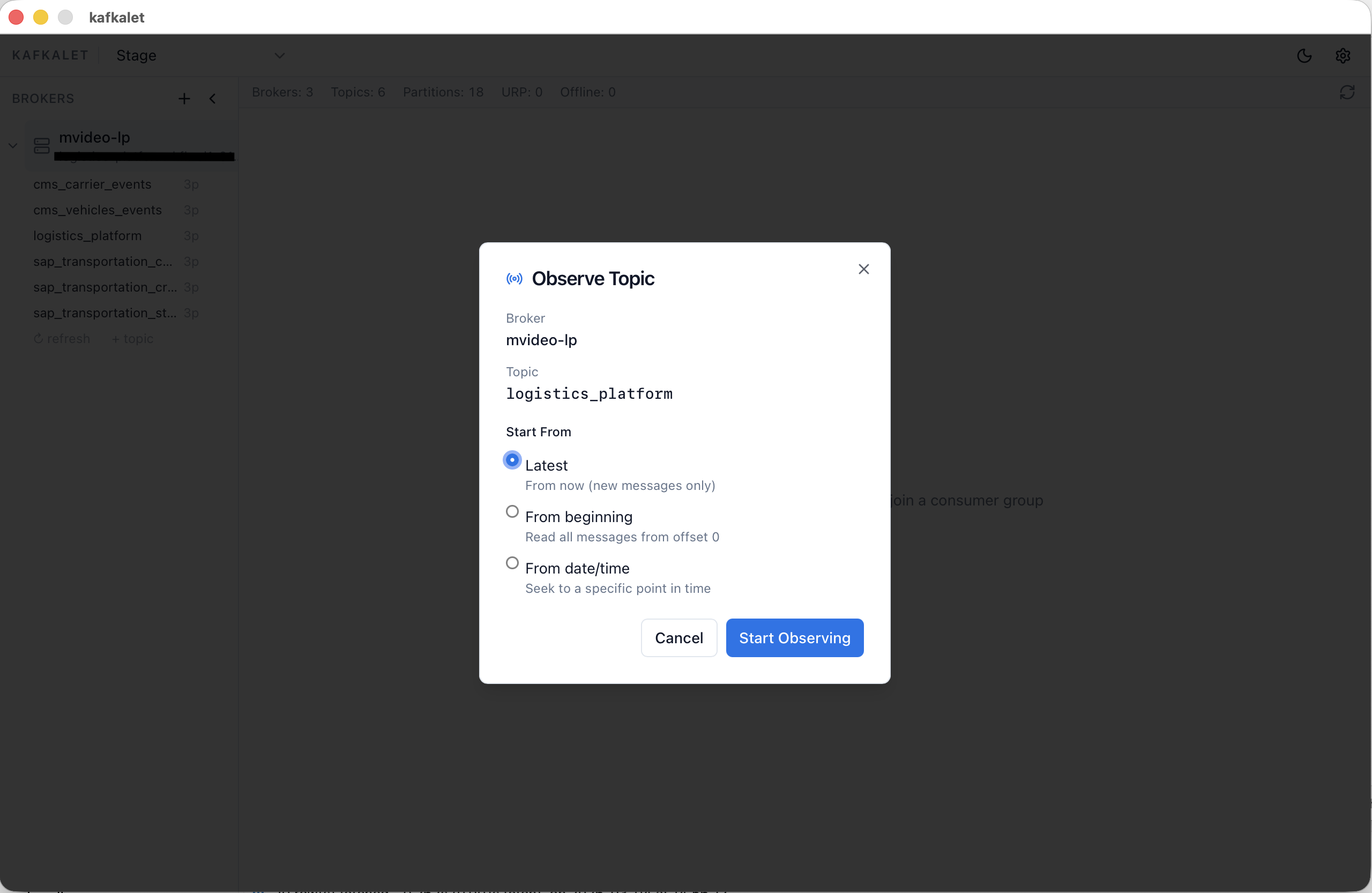
Start from the latest offset, replay from the beginning, or seek directly to a date/time — without touching any consumer group offset.
Produce a message
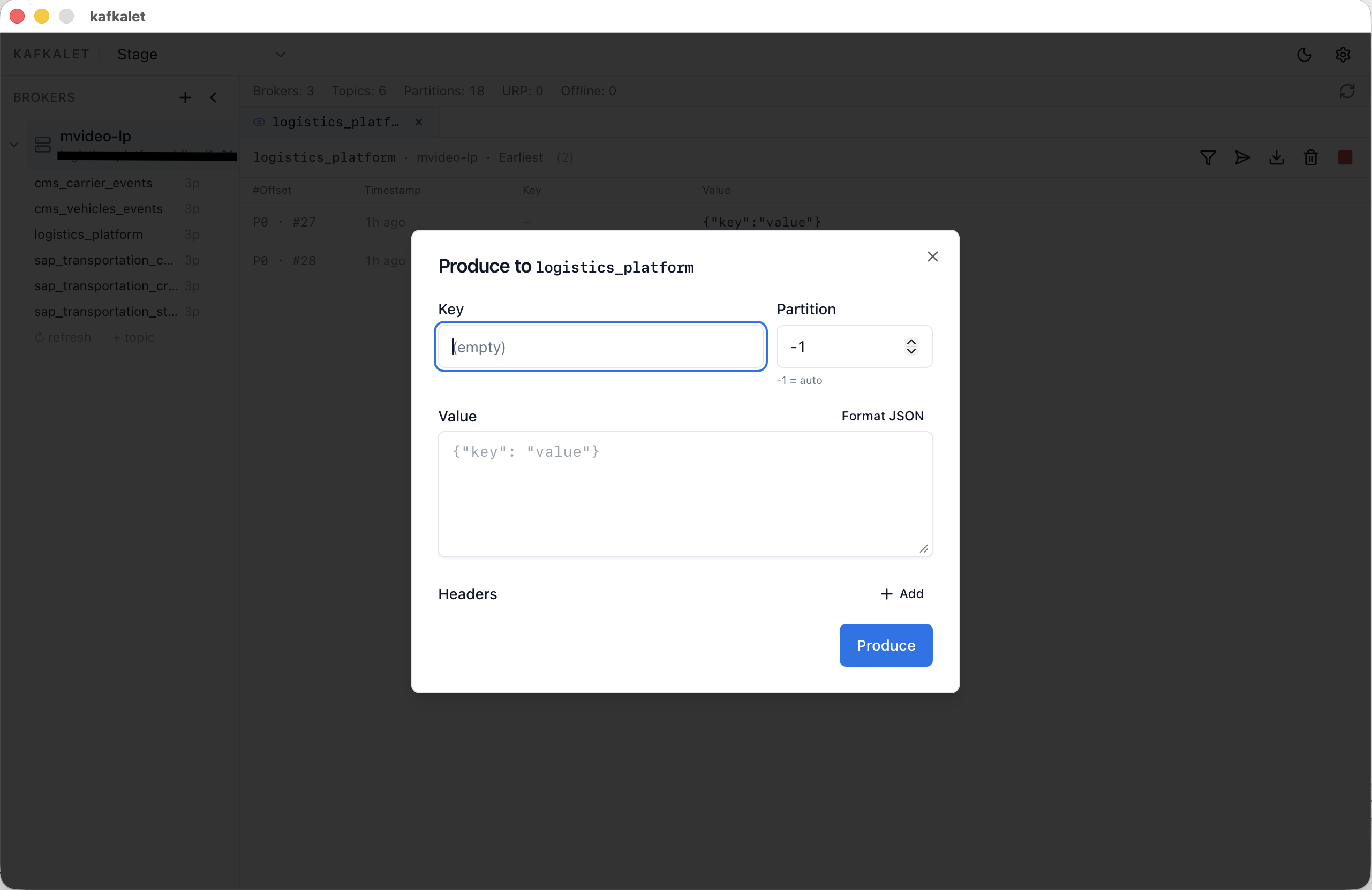
Send test messages with a custom key, JSON value, headers, and target partition directly from the stream view.
Inspect every message in detail
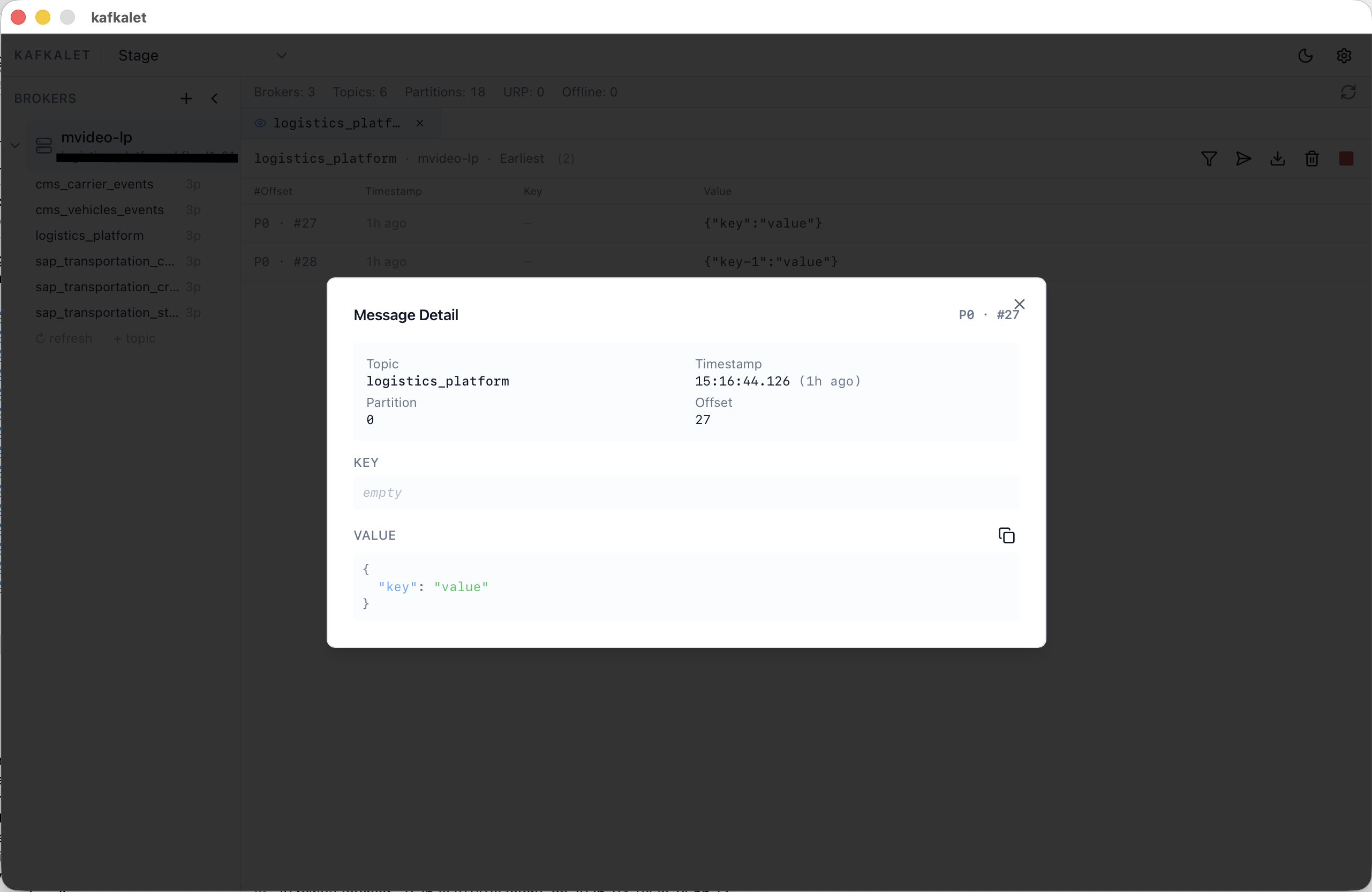
Click any row to open the full message: topic, partition, offset, timestamp, key, and pretty-printed JSON value — with one-click copy.
Manage profiles and brokers
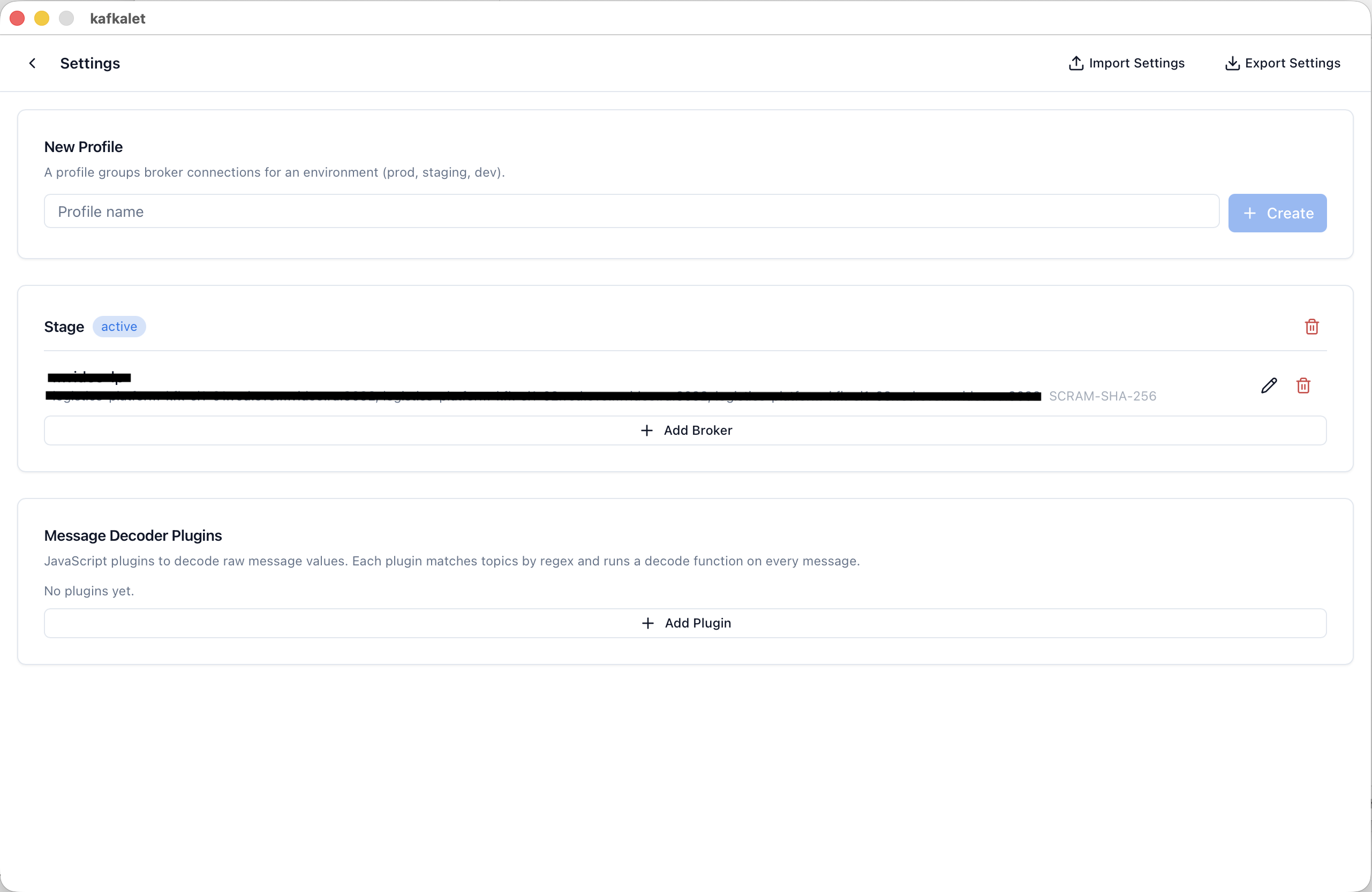
Create profiles per environment, add brokers with full auth config, and install JavaScript decoder plugins — all in one place.
Installation
Download the latest build from the Releases page.
| Platform | File | Notes |
|---|---|---|
| macOS (Apple Silicon) | kafkalet-darwin-arm64.zip |
Drag kafkalet.app to Applications |
| macOS (Intel) | kafkalet-darwin-amd64.zip |
Drag kafkalet.app to Applications |
| Windows | kafkalet-windows-amd64-installer.exe |
Requires WebView2 (pre-installed on Win 11) |
| Linux | kafkalet-linux-amd64.tar.gz |
See Linux notes below |
macOS: on first launch right-click → Open if blocked by Gatekeeper.
Linux dependencies:
sudo apt-get install libgtk-3-0 libwebkit2gtk-4.0-37 libsecret-1-0
Quick Start
- Launch kafkalet — the main window opens with an empty sidebar.
- Press ⌘, (macOS) or Ctrl+, (Windows/Linux) to open Settings.
- Click New Profile, name it (e.g.
Production). - Click Add Broker, fill in the address and auth details, then Test Connection.
- Save and close Settings. Your broker appears in the sidebar.
- Expand the broker to see topics.
- Click a topic → Observe (no group, no commits) or Consume (join a group).
| Shortcut | Action |
|---|---|
⌘K / Ctrl+K |
Profile switcher |
⌘, / Ctrl+, |
Settings |
Building from Source
Prerequisites: Go 1.24+, Node.js 18+, Wails CLI
go install github.com/wailsapp/wails/v2/cmd/wails@latest
macOS: xcode-select --install
Linux: sudo apt-get install libgtk-3-dev libwebkit2gtk-4.0-dev libsecret-1-dev
git clone https://github.com/sneiko/kafkalet.git
cd kafkalet
wails dev          # development with hot reload
wails build        # production build for current platform
Tech Stack
| Layer | Technology |
|---|---|
| Native window & RPC bridge | Wails v2 |
| Kafka client | franz-go |
| Schema Registry / Avro | goavro |
| OS keychain | go-keyring |
| UI components | shadcn/ui + Tailwind CSS |
| State management | Zustand |
| Frontend build | Vite + React 18 + TypeScript |
| List virtualisation | @tanstack/react-virtual |
Contributing
Pull requests are welcome. For larger changes please open an issue first.